Anyone is welcome to join in the NSR Forums/Bulletin Board. Rescuers who have completed the application process and are officially associated with NSR also have the added benefit of settin gup their own public and private discussion forums on this site, as well as having access to the NSR forum discussions. If you are with a rescuer with forums of their own, after you've registered on the forums, please send a PM to samadmin (click on "member list" at the top and then click on "PM" button just to the left of Samadmin) and let us know!
To Register at the NSR Forums/Bulletin Board, follow the steps shown in the screenshots below. You can keep this page open by opening up another window in your browser (just click on your browser icon again). If you can't get that to work, you can always print out this page.
|
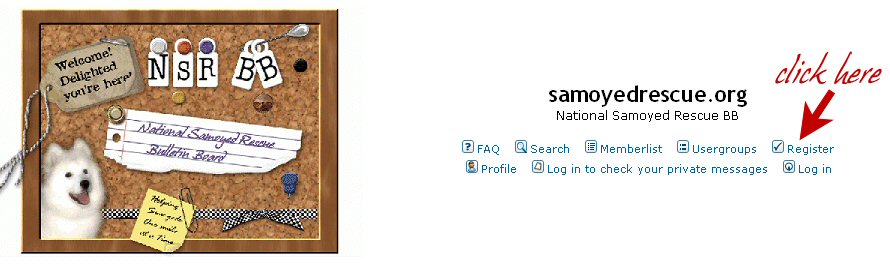
First of all, go
to http://www.samoyedrescue.org/phpbb
and you should see something like this at the top:
 |
|
Clicking
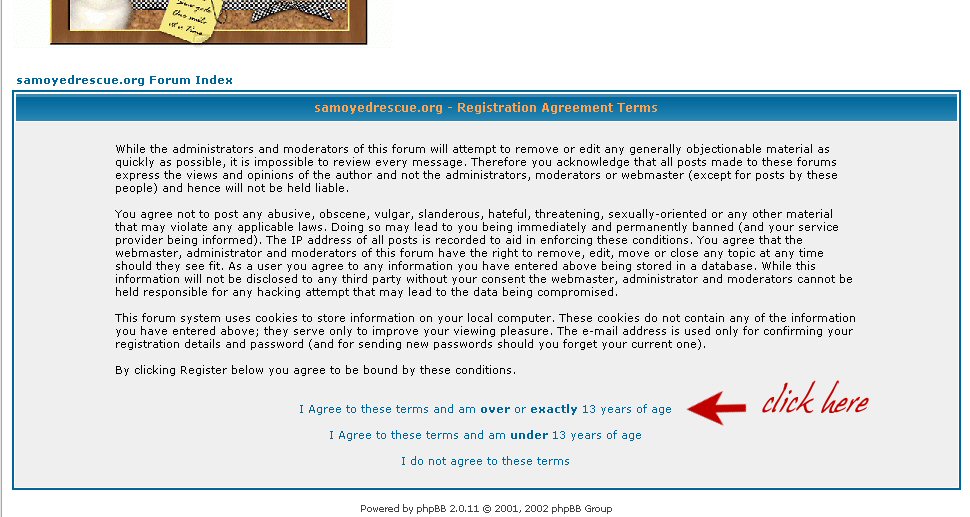
on "register" will take you to this page, where the terms of agreement
are. This isn't any big deal, just the standard agreement that
comes with the software for the forums. General stuff, nothing
extra added. If you agree, click on the terms and the one that
matches your age.
 |
|
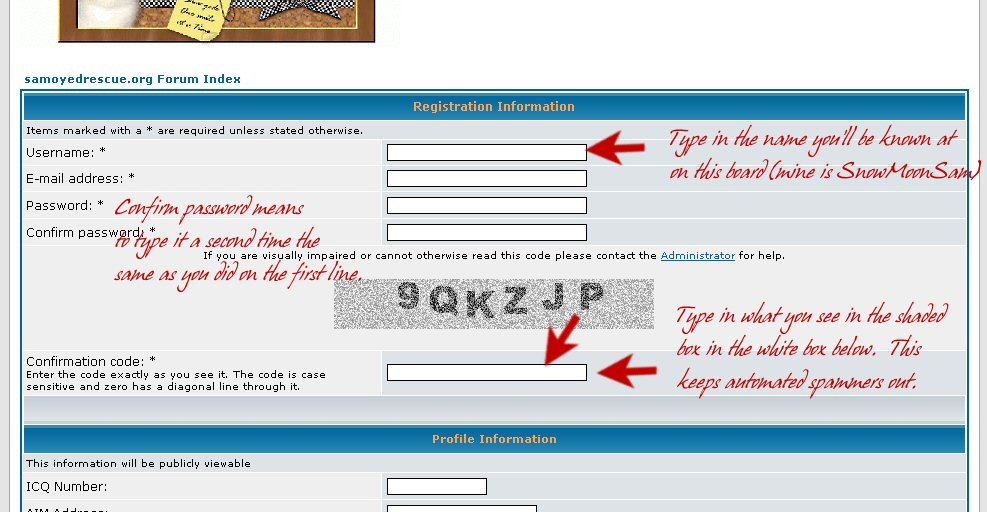
Agreeing
to the terms takes you to a page that is longer, but the top of it
looks like this (minus the red notes). Here's where you choose a
username...what you'll be known as on this board. It can be your
name, or a nickname. You can check the memberlist to see what
choices others have made. You'll also need to type in your
email address -- don't worry, we aren't selling it or giving it to
third parties. :) And you'll need to choose a password, and type
it in twice. Then in a shaded box, you'll see numbers and
letters. You need to type these in the white box below to show
you're really a person wanting to join. :) Helps keep automated
spammers out.
 |
|
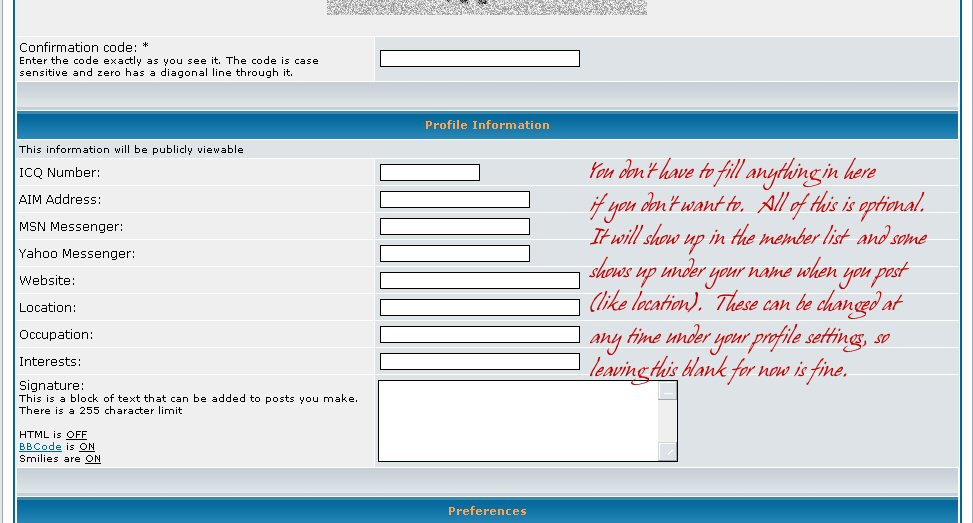
As
you scroll down on that same page, you'll see other places where you
can enter other info if you so choose. None of this is required
to register and all of it can be changed later on by clicking on
"profile" -- this is completely done by you, but admins can help with
this if you run into trouble.
 |
|
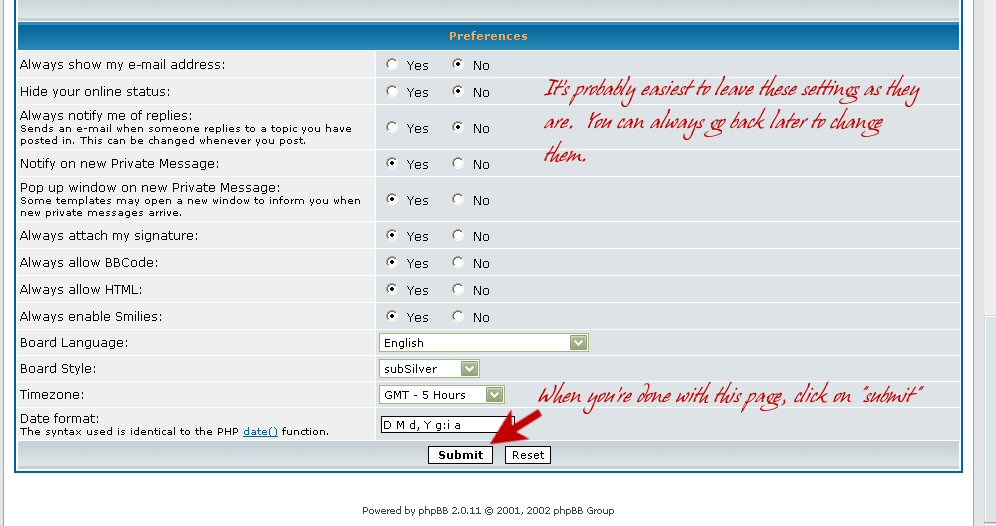
Keep
scrolling down and you'll see more options. You can change these
now or later under "profile" whenever you wish. It's easiest to
just leave these for now if you're not sure about what they are.
Then, when you're done, click on the submit button at the bottom of the
page. Almost there!
 |
|
If
you see the screen below, then YOU DID IT! :) It is set up to
send the admin a message asking to activate your account. This is
yet another means to watch for people who are just intending to spam
the forums. When the account has been activated by the admin,
you'll get an email telling you that's been done. If there's a
rescuer who has already indicated to the admin that they would like to
have you see some of their private forums, or you've joined in with
NSR, it might take a day or so for the admin to set your permissions to
see those forums.
Take a few minutes and introduce yourself! We're glad to have you with us!!!!!!!!!!!!! 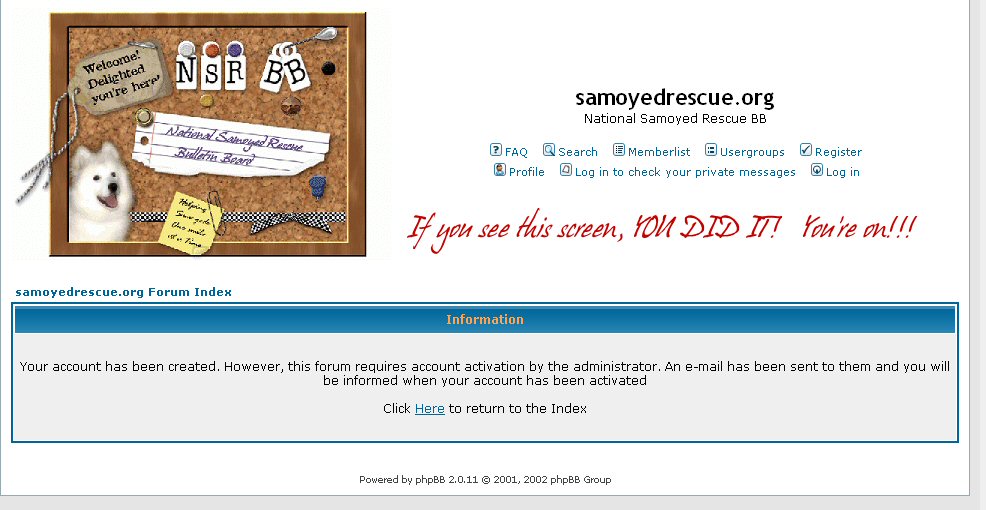 |